Your website is a text file.
Accessibility and SEO built in from the start.
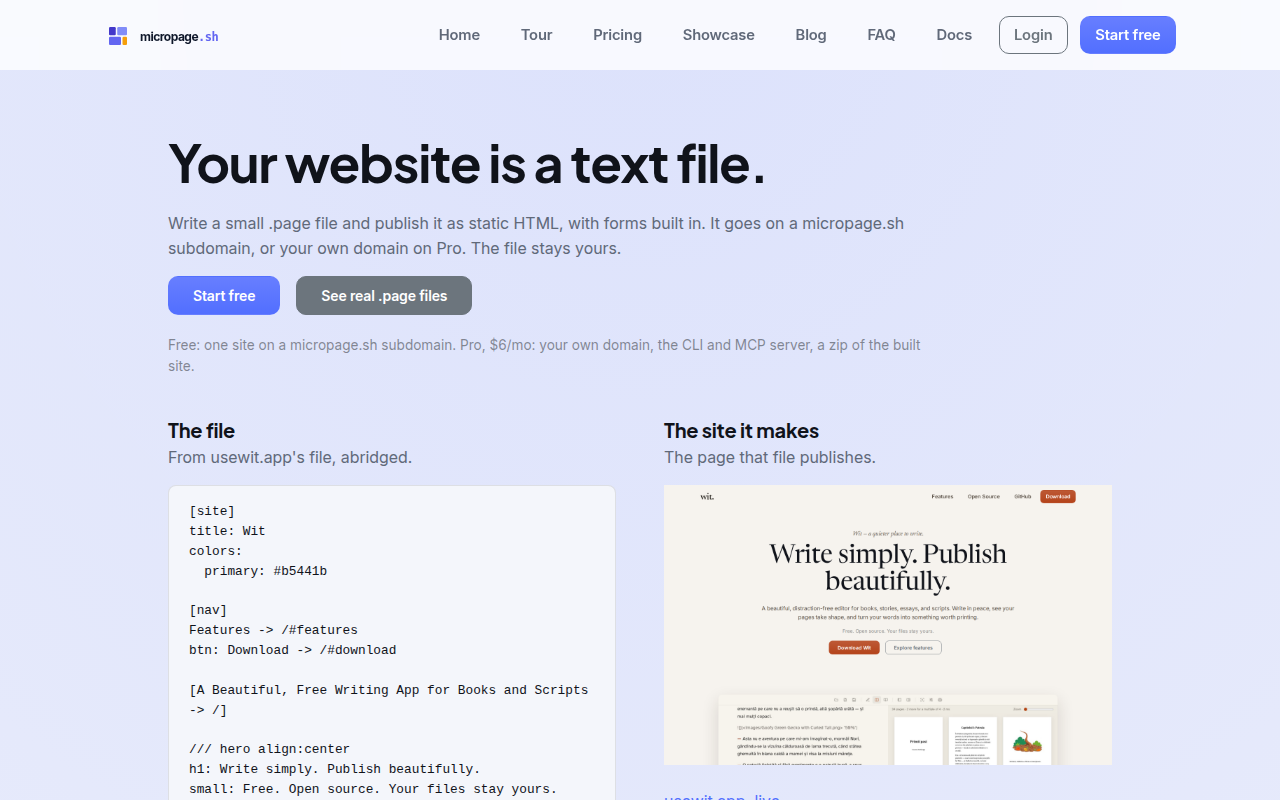
Write a .page file and publish it as static HTML with working forms. The file is yours, and so is the site it makes: export it as plain HTML in one download and host it anywhere.
Start freeSee real .page filesPro, $6 a month: your own domain, the CLI and MCP server, a zip of the built site, newsletter sending and five projects.
Why this exists
I'm visually impaired, and most website builders assume you can drag blocks around a visual canvas. I can't do that reliably, but I can work in text and with a keyboard all day. So I built Micropage: one .page file per site, published as static HTML. I use it for every site I run.
Cosmin Stefaniga
Accessibility and SEO, with nothing to configure
You focus on your content. The defaults are taken care of, on every page, from the first publish.
Accessible by default
- Text on a theme colour comes out black or white, whichever has more contrast by the WCAG formula. Buttons follow.
- The words before an image's file become its alt text, so describing the picture is how you add one.
- Every page has a skip link, labelled landmarks, visible keyboard focus and the heading levels you wrote.
- Every form field has a label, and errors and the success message are announced.
Found by search engines by default
- sitemap.xml and robots.txt, generated on every publish.
- Canonical URLs, titles, descriptions and Open Graph tags from your markup.
- Structured data for the site and for every post.
- A noindex line keeps any page out of the index.
One way to write each thing
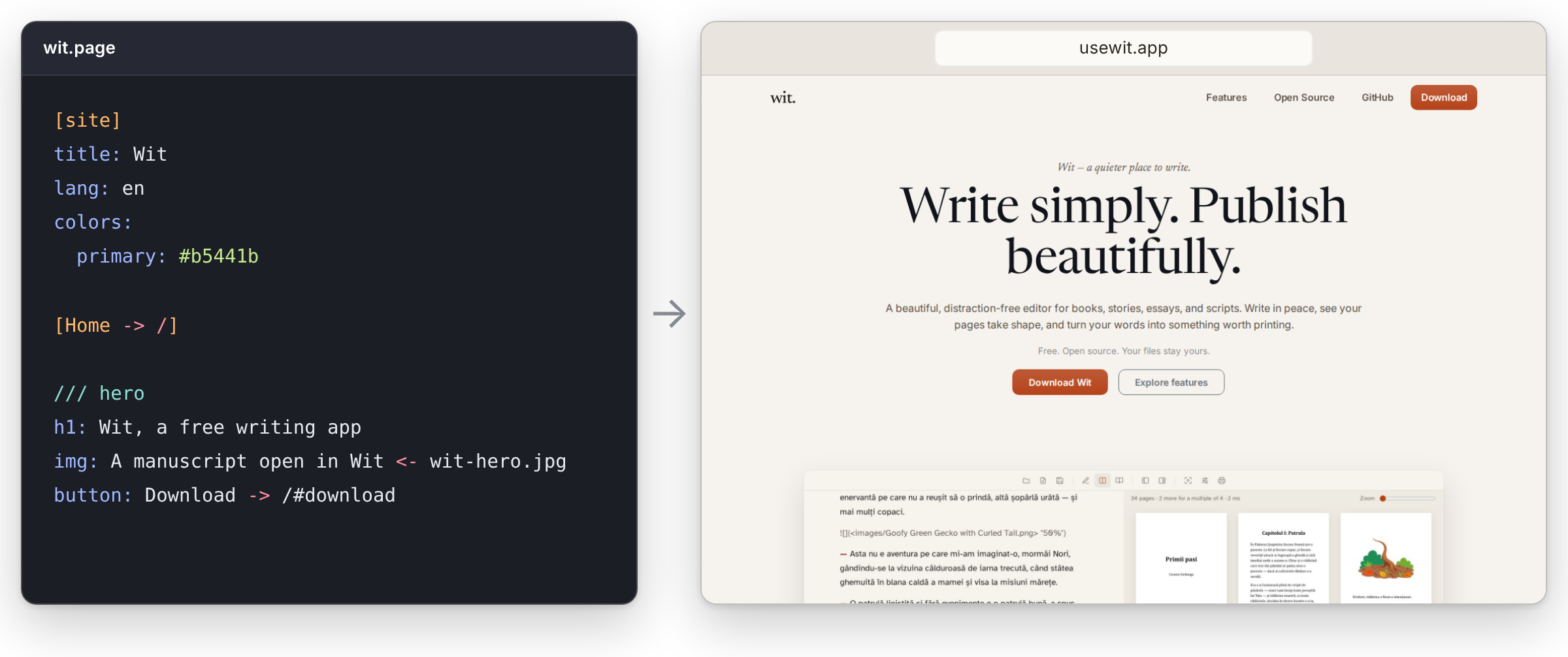
.page is not Markdown. It's a small, closed grammar for the things a site needs and Markdown doesn't have: nav, sections, columns, buttons and forms. One element per line, no nested tags, no arbitrary CSS. The whole reference is about 120 lines.
Nothing to invent
There is one spelling for each thing: -> is always a link, <- is always a file from your folder, col: is always a column. That keeps diffs clean and mistakes local. It's also why agents get it right: the vocabulary is closed, so the editor's AI tab and your own agent, through the MCP server, have nothing to invent.
One escape hatch
/// html is the escape hatch: raw HTML for embeds and the few things the grammar doesn't cover. Everything else stays in the vocabulary, so a file reads the same whoever wrote it.
What it's for
Landing pages, multi-page sites and blogs, with forms and a newsletter. Posts are Markdown, published at /content with an RSS feed, so the page grammar can stay small. Not for app UIs, pixel-perfect design or design systems; use Framer, Webflow or a frontend stack for those.
What's built in
Forms
Submissions land in the editor, so a landing page needs no backend. Turnstile and a spam filter keep bots out. CSV export and an email digest on Pro; webhooks and instant email on Pro+.
Newsletter
Turn any form into a signup. Subscribers live in the editor. Sending broadcasts is on Pro.
Posts
Markdown files with front matter, published at /content with RSS, from the editor or the CLI. On Pro, posts can also go out to subscribers.
Publishing
Static HTML served from Cloudflare's network over HTTPS. On Pro+, a publish is live in about 10 seconds; on Free and Pro, builds wait about 3 minutes in a queue first. Every build is numbered and can be rolled back.
A form is three lines
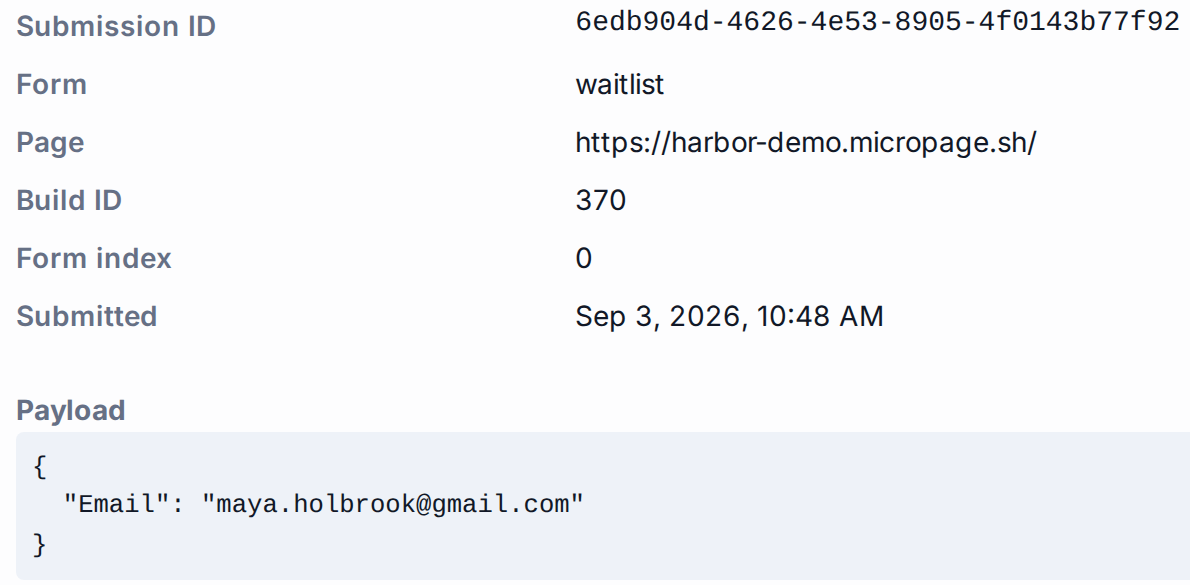
Three lines from lantern.travel's file, the form they publish, and a submission as it arrives in the editor.
form: waitlist
input: Email*
submit: Join the waitlistThe form it publishes

A submission in the editor
Export the site and leave
The source file is yours on every plan. On Pro, download the whole site and host it wherever you want.
The file
Plain text, on every plan. Read it or copy it from the editor, or keep it in your own repo with the CLI on Pro.
The built site
On Pro, download any build as a zip of plain HTML, CSS and fonts. It runs on any host: your own server, Netlify, Cloudflare Pages or GitHub Pages. Submissions and subscribers download as CSV.
On Pro, $6 a month or $49 a year
Your own domain
Point a subdomain like www at Micropage with one DNS record; HTTPS is set up and renewed for you. For the bare domain, add a redirect to www at your DNS provider.
The CLI
Install with Homebrew or npm. The .page file lives in your repo and micropage publish deploys it. Pro+ adds deploy tokens, so GitHub Actions can publish.
MCP server
Connect Claude Code, Claude Desktop, Cursor or VS Code, and your agent creates, edits and publishes pages and posts the way the CLI does. Sending email and deleting projects are off by default.
What a published page loads
Static HTML and one first-party stylesheet trimmed to that site.
One stylesheet, 8 to 12 KB
Bootstrap compiled and purged against that site's HTML, gzipped. Fonts are self-hosted. Dark mode follows the visitor's OS in CSS, with no theme script.
Almost no JavaScript
Small inline scripts for the mobile menu and nav dropdowns, only on sites that have them. No framework, no Bootstrap JS, no error reporting.
Nothing third-party
Unless you add it yourself in a /// html block. The one exception: Cloudflare Turnstile on pages with a form, to keep spam out.
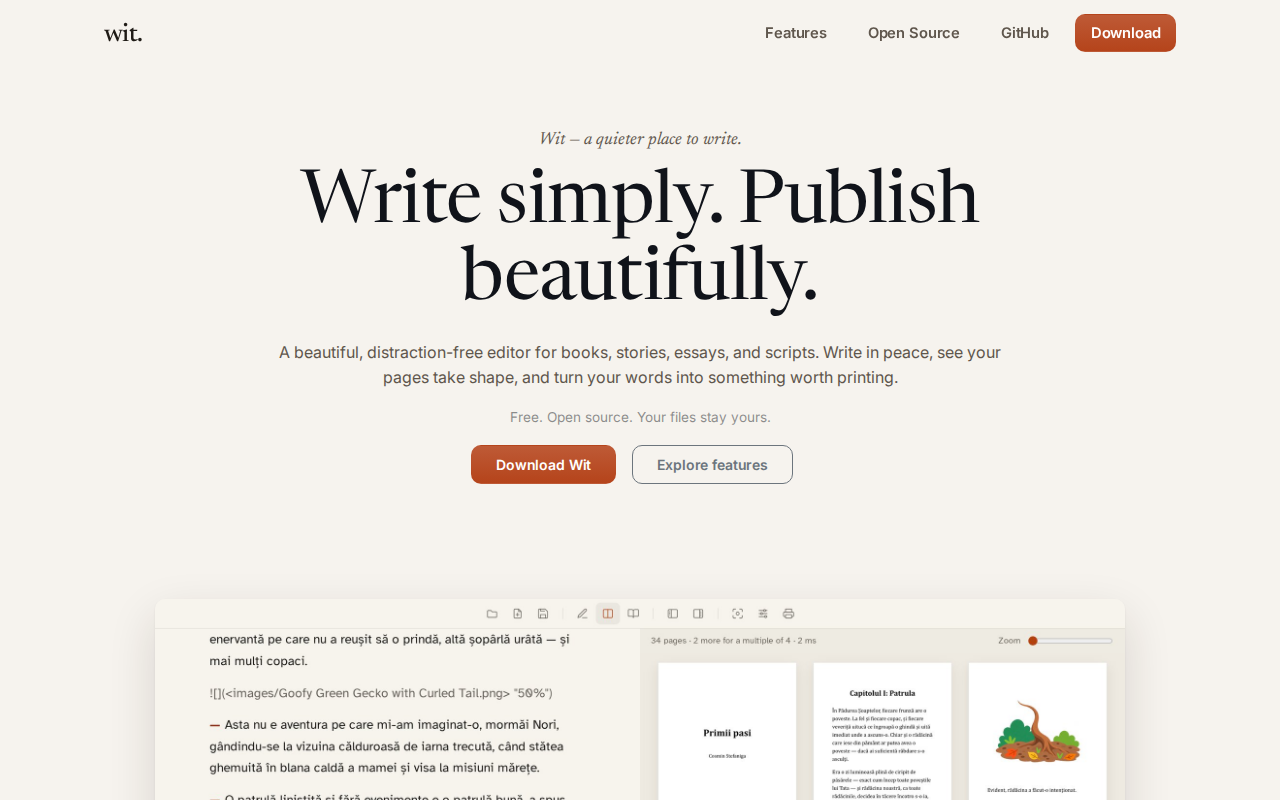
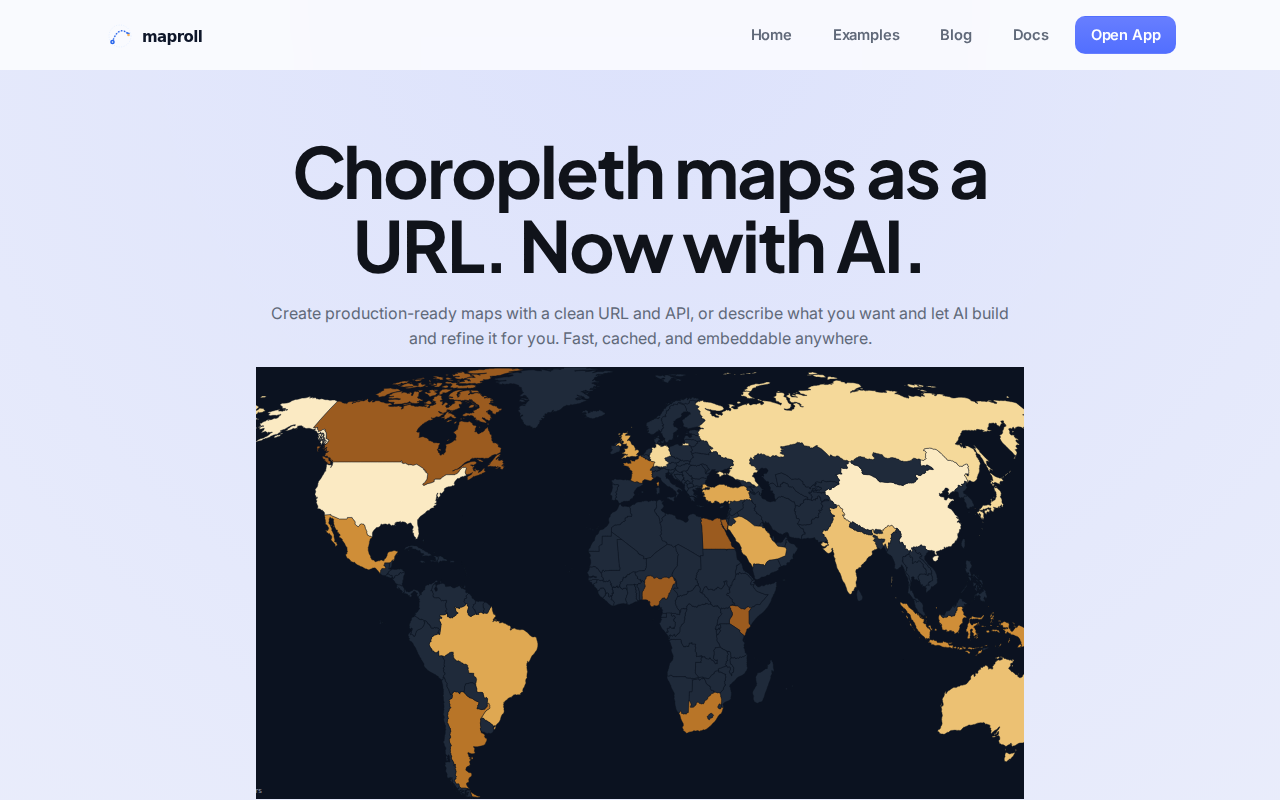
maproll.io
Choropleth maps from a URL. Eleven pages across eight .page files, plus a weekly blog.
Pricing
Carrd is cheaper. Framer is prettier. Micropage is the page you still own as a file.
Free
See if the format clicks.
$0
1 project · web editor with monthly AI credits · 100 form submissions
On a micropage.sh subdomain, with a badge. No CLI, custom domain or zip.
Pro
Launch a real site.
$6/mo · $49/year
Your domain, the CLI, MCP server, zip export, newsletter sending, CSV, no badge
5 projects · 1,000 submissions/month
Pro+
Operate it.
$12/mo · $98/year
Webhooks, CI deploy tokens, instant email, 20 projects
10,000 submissions/month
Start with one file
Free for one site on a micropage.sh subdomain, no card. If the format doesn't click, you stop, and the .page file is still yours.
Start freeRead the docs